
Why use a family reunion planning website? Because group chats and Facebook groups bury the details, miss the relatives who aren’t on them, and can’t count RSVPs or track who has paid. A reunion website gives the whole family one link with the date, schedule, lodging, RSVP, dues, announcements and photos, and gives the organizer a live headcount.
Most family reunions are still planned in a group chat. It starts well, then the hotel details scroll away under birthday photos, Grandma isn’t in the chat, two cousins are sending money to the organizer’s personal account, and nobody knows how many people are actually coming. None of that is anyone’s fault. Group chats are built for conversation, not for running an event for 60 people across four generations.

01 / THE PROBLEM
What’s Wrong With Planning in a Facebook Group or Group Chat?
Three things. Important details get buried under everyday messages. Some relatives, often the oldest and youngest, aren’t on the platform at all. And neither tool can count an RSVP by household, price kids differently from adults, or show the organizer who has paid and who still owes.
| What you need | Group chat | Facebook group | Reunion website |
|---|---|---|---|
| Date, schedule and lodging in one place | Scrolls away | Pinned post, at best | Yes |
| RSVP headcount by household and age | No | “Going” only | Yes |
| Dues by age, paid online | No | No | Yes |
| Who has paid | Manual | Manual | Live list |
| Relatives not on social media | Only if added | Left out | Email invitation and a link |
| Photos kept together | Mixed in with messages | Mixed in with posts | Shared gallery |
“A group chat is where the family talks. A reunion website is where the reunion lives.”
02 / WHAT TO INCLUDE
What Should a Family Reunion Website Include?
Everything a relative needs to decide, travel and pay, and everything the organizer needs to plan. That means the date and place, a schedule, lodging and things to do, an RSVP that counts each household by age, online dues, a way to send updates, and somewhere to share photos and talk.
| For relatives | For the organizer |
|---|---|
| Date, address and a multi-day schedule | A guest list with households, imported from Excel |
| Hotels with rates, restaurants, transport and things to do nearby | A live headcount by age group |
| An RSVP that adds each person in the household | Dues priced by age group |
| Their estimated total, shown as they RSVP | A live list of who has paid, part-paid or not paid |
| Paying in full or in parts, by card | Announcements, scheduled reminders, email and text |
| Reunion T-shirts in their sizes | An Excel export for the caterer |
| Family chat, a shared photo gallery and the family tree | Payouts to the organizer’s own Stripe account |
AmazingReunion includes all of these, plus the Amazing Reunion Planner, which drafts dates, a place, events, lodging and estimated dues from a short description, and apps for iPhone, iPad and Android phones and tablets. Dues are covered in detail in how much family reunion dues should be.
Draft Your Reunion in Minutes
Tell the Amazing Reunion Planner where and when you’re thinking, and it drafts the dates, place, events, lodging and estimated fees.
Launch the Amazing Reunion Planner03 / FAMILY TREE
How Does a Family Tree Fit Into a Reunion Website?
It answers the question every child asks at a reunion: how am I related to these people? On AmazingReunion, Kickstart suggests relatives from people you’ve shared reunions with, and you choose how each one is related. Relatives can add people, and the tree’s creator approves additions. New to family history? Read how to start a family tree.
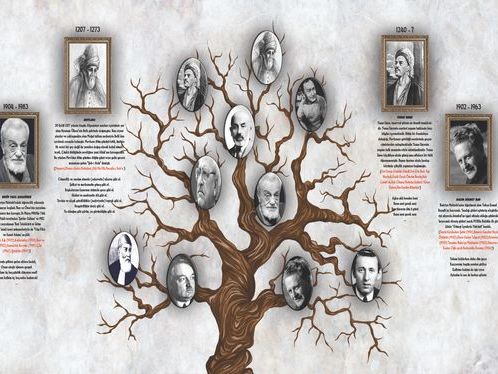
Each branch of the family can also have its own chat room alongside the room for the whole reunion, so a branch can plan its own dinner or carpool without filling everyone else’s notifications. Print a copy of the tree for the reunion and leave space on it for the youngest relatives to add themselves.
04 / EVERY GENERATION
How Do You Get Older Relatives to Use It?
Send the invitation by email as well as by text, keep the RSVP to a few steps, and name one person in each branch to help anyone who gets stuck. A tablet with large text makes the site easier for older relatives. For anyone who won’t go online at all, a relative can sit with them and do it together.
- Branch captains. One person per branch makes sure everyone has RSVPed and knows the schedule.
- Phone calls still work. Call the three or four relatives who never answer messages, and talk them through the RSVP.
- Print the essentials. Mail the elders a one-page schedule with the address and the organizer’s number.
- Show it at a family gathering. Holidays are a good time to show grandparents the site on a tablet. See our script for bringing up a reunion at Thanksgiving.
05 / PRIVACY
Is a Reunion Website Better for Family Privacy?
It keeps family details out of a public feed. A reunion website isn’t a social feed, so updates don’t compete with ads or get mixed in with each relative’s wider social network. Still, decide as a family what goes online: share addresses only with confirmed guests, and ask parents before posting photos of children.
Payments are handled by Stripe and go to the organizer’s own Stripe account, so no relative has to send money to a personal payment app or share card details with the organizer.
06 / SETUP
How Do You Set Up a Family Reunion Website?
Set it up in one evening, as soon as the date is fixed. Create the reunion, add the date, place and schedule, add lodging and things to do, set dues by age group, import the guest list, and send the link. You can fill in details as they firm up, so don’t wait until everything is decided.
- Create the reunion with the date and place, or start from a draft by the Amazing Reunion Planner.
- Add the schedule, even if it’s just “Friday welcome, Saturday picnic, Sunday breakfast” for now.
- Add lodging with rates and booking deadlines, plus restaurants and activities nearby.
- Set dues by age group and connect Stripe so payments go to you.
- Import the guest list and send the invitation by email and text.
- Post updates as announcements, and schedule reminders for the RSVP deadline.
Then follow the month-by-month family reunion planning timeline, and plan the days themselves with our list of family reunion activities.
Give Your Reunion a Home
One link for the whole family: schedule, RSVPs, dues, chat, photos and the family tree.
Launch My Reunion SiteFree to start. Includes RSVP, Payments & Photo Sharing.
Frequently Asked Questions
Do you need a website for a small family reunion?
For a single afternoon with 20 people who all live nearby, a group text may be enough. Once you have lodging, dues, more than one event or relatives in different states, a website saves the organizer hours and stops details getting lost.
Is a family reunion website free?
AmazingReunion is free for the organizer. When relatives pay dues online, card processing and a $2.50 handling fee are added to their payment, so the reunion receives the full amount it charges.
Can relatives without a smartphone use a reunion website?
Yes. The site works in any web browser on a computer or tablet, and invitations and reminders can go by email. For relatives who don’t go online, name one person in their branch to sit with them and do it together.
How do we share photos after the reunion?
Ask everyone to upload to the reunion’s shared photo gallery during and after the event, instead of a dozen group chats. Photos then stay in one place with the rest of the reunion, ready for the next one.
Picking a destination? Our state guides list group lodging, booking lead times and costs. Start at the Reunion Planning Guides hub.

Ken O.
Founder of AmazingReunion and veteran reunion organizer who has coordinated 50+ family gatherings across the US.